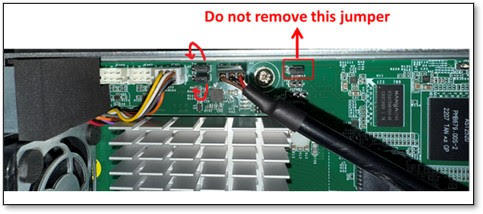
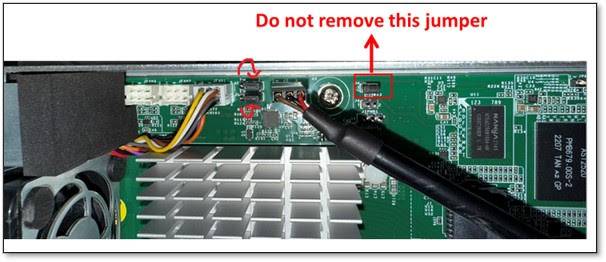
改跳線如下,1-2腳改到2-3腳
Re-insert AC power cords, and then log in BMC serial console(speed is 38400) on Image-1 with sysadmin/superuser.(用戶名/密碼)
following commands on Image-1 to enable Watchdog to boot Image-2.
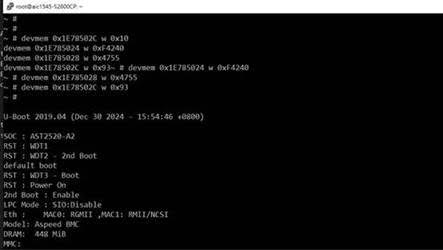
# devmem 0x1E78502C w 0x10
# devmem 0x1E785024 w 0xF4240
# devmem 0x1E785028 w 0x4755
# devmem 0x1E78502C w 0x93
Log in BMC serial console on Image-2 with sysadmin/superuser.
Recover IPMI Credentials on Image-2 Manually.
# rm /conf/BMC1/LanChcfg1.ini
# rm /conf/BMC1/LanChcfg2.ini
# rm /conf/BMC1/UserConfig.ini
# rm /conf/BMC1/UserEncPswd.ini
# rm /conf/BMC1/IPMIConfig.dat
# /etc/init.d/ipmistack restart
6.Wait for BMC to restart IPMI service on Image-2. Change the default password with the following IPMI command.
# ipmitool -H 127.0.0.1 -U admin -P admin user set password 2 admin123

7.Check BMC active image
# ipmitool -H 127.0.0.1 -U admin -P admin123 raw 0x32 0x8f 7
8.Get IP address with the following IPMI command.插入網線
# ipmitool -H 127.0.0.1 -U admin -P admin123 lan set 1 ipsrc dhcp
wait 20s…
# ipmitool -H 127.0.0.1 -U admin -P admin123 lan print 1
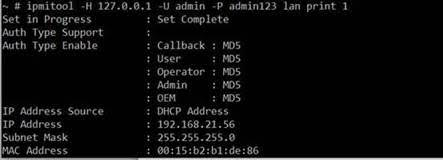
9.Confirm the network connection from another host.
10.Run the following command on another host to update BMC Image-1. The file name “4202JBD002103.ima” in the example is a BMC firmware image.
./Yafuflash -nw -ip 192.168.21.56 -u admin -p admin123 -mse 1 -force-boot 4202JBD002103.ima
11.If BMC Image-1 update is successful, it will boot BMC Image-1. BMC web on Image-1 is accessible after BMC reboot. Please change the default password on BMC web.
12.Remove all AC power cords. Put the 2 jumper back as pin 1-2